 Chrome Extension
Prepare stronger Pinterest Pins before you publish.
Pinello shows what to fix first, helps you improve the copy, and checks whether your Pin matches the board you chose — without leaving Pinterest.
Free to start · 7-day Pro trial · Cancel any time in checkout
The three surfaces
Browse. Inspect. Improve.
Each surface uses the data actually available at that moment. That is why the Feed Score, the Pin Detail Score, and the Pin Doctor can look different — and that is a feature, not a bug.
Feed Score
Fast quality signal from visible Pin cues while you scroll — image ratio, engagement, and any title on the card.
Pin Detail Score
Uses fuller detail-page signals — the full title, description, board, saves, and dimensions Pinterest exposes when you open a Pin.
Pin Doctor
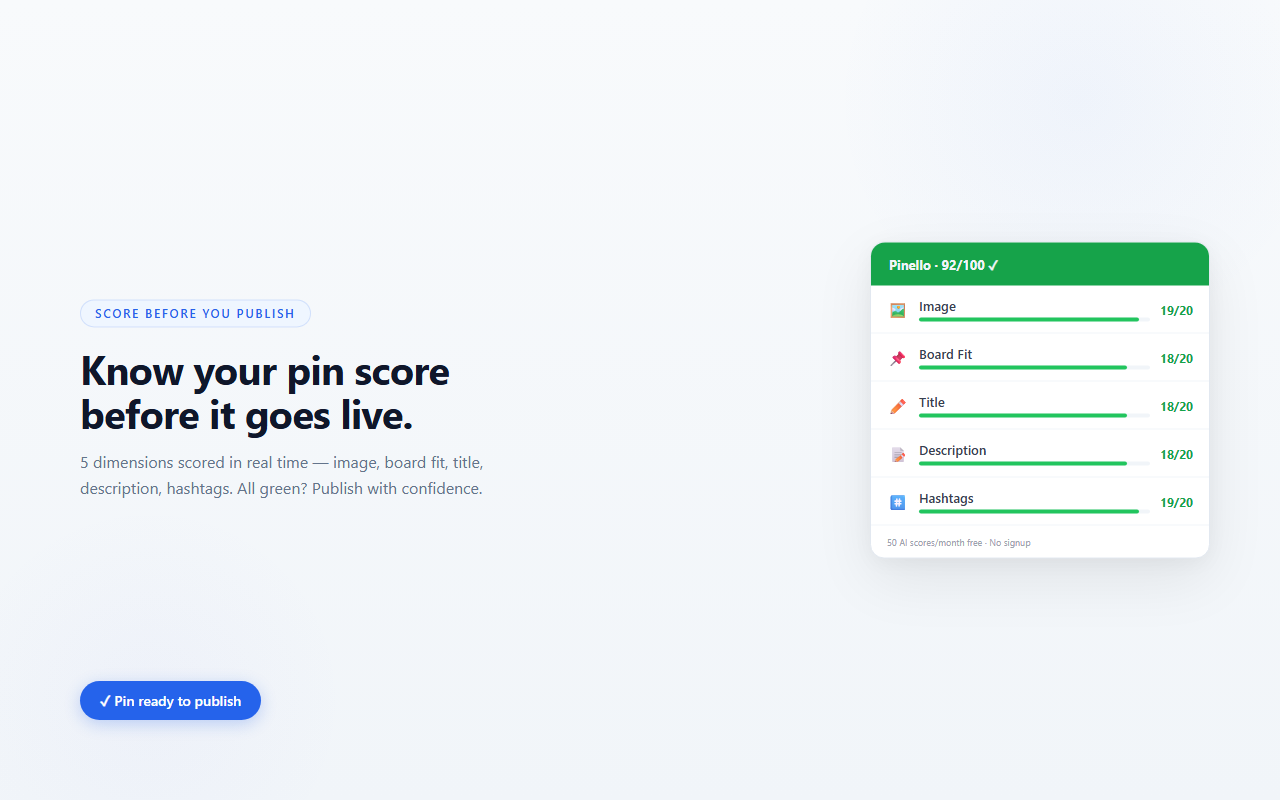
Your pre-publish check inside the Create Pin workflow — reviews image, title, description, topics, and Board Match.
What you get
Signals while you browse. A pre-publish check when it matters.
Structural scoring is fully local. AI suggestions and Board Match run only when you click the button — never automatically.
Feed Score badges
A quick quality signal on every Pin card in your feed. Colour-coded so weak drafts and stale layouts are easy to spot.
Pin Detail Score & stats
Open a Pin to see saves, engagement per day, board, and a refreshed score based on the fuller detail-page data.
Pin Doctor
A pre-publish check inside Create Pin. Local scoring across image, title, description, topics, and board match.
Hide Ads
A free Pinterest ad blocker: hide promoted and sponsored Pins on the feed while you research.
AI actions
Strengthen title, improve description, refine topics, Check board match. Copy-only — Pinello never types into Pinterest.
Feed sorting & Hide AI Pins
Reorder the feed by your locally computed Pin scores and hide Pins Pinterest marks as AI-made.
CSV export
Export scored Pin data for audits, content planning, or handoffs to a virtual assistant.
A cleaner feed for research
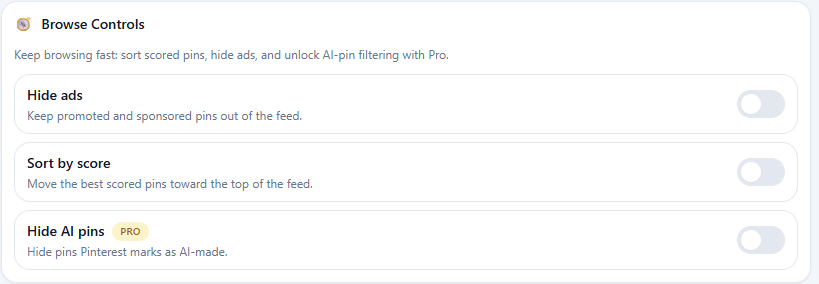
Hide Pinterest ads (free) · Hide AI pins (Pro)
Pinterest has no setting to turn ads off. You can only hide them one at a time. Pinello's Hide ads switch keeps promoted and sponsored Pins out of your feed, and it is free.
Pinterest's own AI setting shows you fewer AI Pins. Hide AI pins (Pro) hides every Pin that Pinterest labels as AI-modified.
- FreeHide ads: promoted and sponsored Pins drop out of the feed. No account, no card.
- ProHide AI pins: hides Pins that carry Pinterest's AI label. Pins Pinterest hasn't labelled can still appear.
Both are switches in the Pinello side panel, under Browse Controls. Turn them off at any time. Pinello hides ads on Pinterest only, not on other websites.
Pricing
Two plans. Honest scope.
Use Free until it earns its keep. Upgrade to Pro when you want more AI actions per month, feed controls, and CSV export.
Start here. No account. No credit card.
- ✓Feed Score on every Pin card
- ✓Pin Detail Score and Pin stats
- ✓20 Pin Doctor checks per month
- ✓5 AI actions per month (suggestions + Board Match)
- ✓Hide Ads on the feed
or $79/year (save ~27%)
For creators who want to publish stronger drafts every day.
- ✓More AI actions — Strengthen title, Improve description, Refine topics, Check board match
- ✓Feed sorting and Hide AI Pins
- ✓CSV export of scored Pins
- ✓Priority support at hello@amrita-labs.com
Subscriptions billed via ExtensionPay / Stripe. Refunds handled case-by-case at Amrita Labs’ discretion — email hello@amrita-labs.com. Pinello does not guarantee saves, clicks, reach, or ranking on Pinterest.
How it works
Three steps. That is it.
Install
Add Pinello from the Chrome Web Store. Open Pinterest and start browsing like usual.
See the Feed Score
Every Pin card gets a quality signal. Click any badge to see the score breakdown in the side panel.
Improve inside Create Pin
When you draft a Pin, the Pin Doctor opens alongside the Create form and tells you what to fix first.
Prepare stronger Pins before you publish.
Install Pinello, keep browsing Pinterest, and let the Feed Score, Pin Detail Score, and Pin Doctor tell you what to fix first.
Frequently asked questions
Clear answers, on the record.
What does the Feed Score on a Pin card mean?
Why does the Pin Detail Score differ from the Feed Score?
What is the Pin Doctor?
Will Pinello guarantee I get more saves, clicks, or reach?
Can Pinello hide ads on Pinterest?
How is Hide AI pins different from Pinterest’s own AI setting?
What does Pro cost?
What data does Pinello send to servers?
Do you store my Pin content?
Do you offer refunds?
What is Pinello?
Pinello is a Chrome extension that helps Pinterest creators prepare stronger Pins before publishing. It surfaces a Feed Score on Pin cards, a Pin Detail Score inside the closeup, and a Pin Doctor pre-publish check inside Create Pin. Structural scoring runs locally in the browser; AI suggestions and Board Match run only when the creator clicks a button. Pinello never types into Pinterest for you and does not guarantee saves, clicks, reach, or ranking.