Stop sending emails
nobody opens.
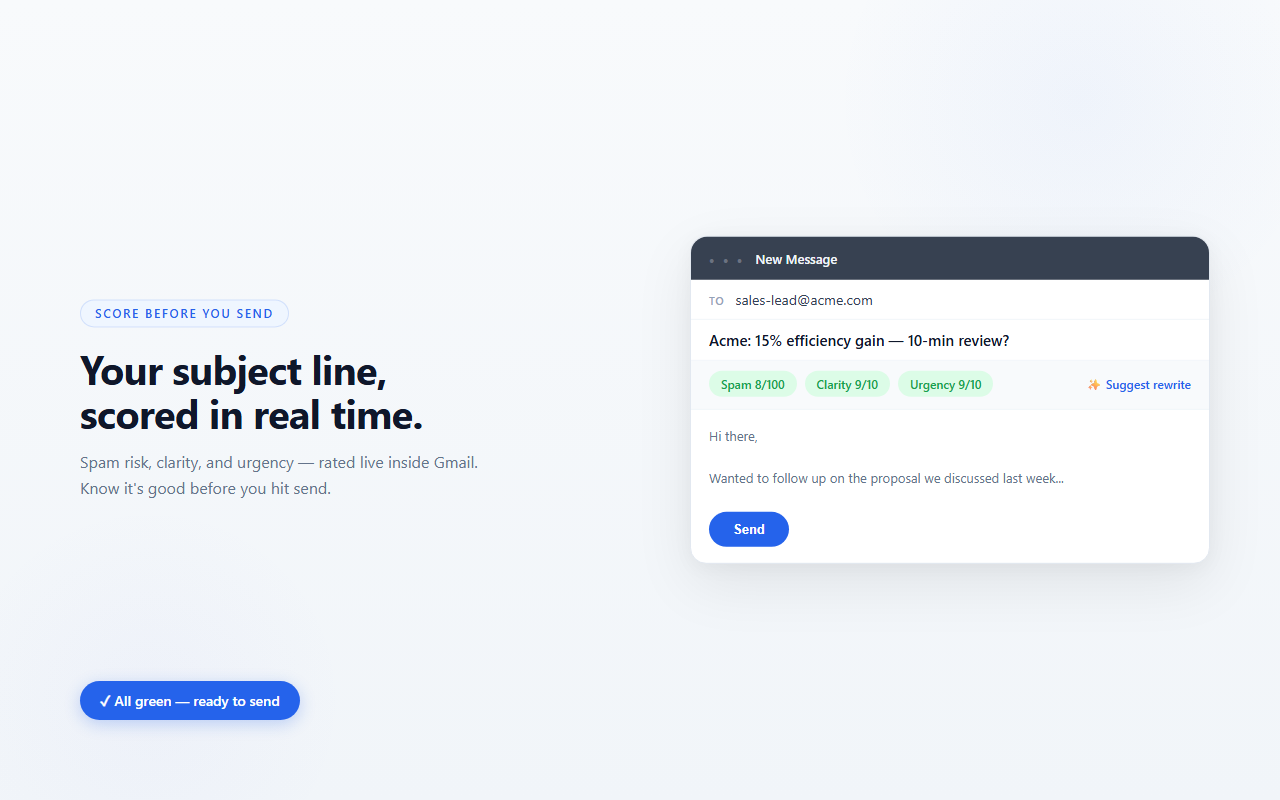
EmailSubjectScore Pro is a free Chrome extension that scores Gmail subject lines for spam risk, clarity, and urgency in real time. AI-powered rewrite suggestions when your score is weak.
Also known as: Gmail subject line tester, email subject line score, subject line analyzer, subject line grader — all inside Gmail compose, no tab switching.
Free · 50 scores/month · No signup · 14-day Pro trial included
How it works
Open Gmail compose
Start writing an email as normal. The scoring panel appears automatically.
See your scores
Spam risk, clarity, and urgency update live as you type your subject line.
Rewrite if needed
Click "Suggest rewrite" for AI-optimized alternatives. Copy to clipboard — you decide what to use.
Features
Spam Detection
Flags trigger words and patterns that send your email to spam or promotions tab.
Clarity Score
Evaluates whether your subject line makes a specific, actionable promise.
Urgency Rating
Balances urgency cues without being spammy. Too much urgency = spam filter.
AI Rewrite
One-click AI-optimized alternatives. Copy to clipboard — never auto-modifies your email.
Pricing
Free to start. Pro when you write a lot.
Every install starts with 14 days of Pro, no card needed. After that, keep using Free or upgrade for unlimited scores.
Start here. No account. No credit card.
- ✓10 AI scores per day, 50 per month
- ✓Spam risk, clarity, and urgency as you type
- ✓AI rewrite suggestions after each score
- ✓Re-scoring a subject from the last 24 hours is free
or $49/year (save ~18%)
For people who write subject lines all day — sales, recruiting, newsletters.
- ✓Unlimited scores and AI rewrites (fair use: 1,000 AI requests per month)
- ✓Every install starts with 14 days of Pro — no card needed
- ✓Cancel any time from the extension popup
Subscriptions billed via ExtensionPay / Stripe. Full refund within 30 days of a payment — email hello@amrita-labs.com. See the terms for fair use and cancellation.
Frequently asked questions
Is EmailSubjectScore Pro free?
What data does it collect?
Does it work with Google Workspace?
Does it auto-modify my emails?
How is it different from SendCheckIt or CoSchedule?
Score your next subject line.
Free to install. Takes 2 seconds. No signup needed.
Install Free — Chrome Web StoreWhat is EmailSubjectScore Pro?
EmailSubjectScore Pro is a free Chrome extension that scores Gmail subject lines for spam risk, clarity, and urgency in real time. It runs inside the Gmail compose window and offers AI-powered rewrite suggestions when a subject line scores weak. Free tier includes 50 AI scores per month, no signup, no credit card. Every install starts with a 14-day Pro trial; Pro is $5/month or $49/year.