I Built a Chrome Extension That Scores Your Gmail Subject Lines — Here's What I Learned
A few months ago I was sending cold emails for a side project. Personalized openers, clear asks, short paragraphs — I thought the emails were good. But my reply rate was garbage. Like, 1-2% garbage.
I started digging into why. Turns out most of my emails weren’t even being opened. They were landing in spam or getting ignored at the subject line.
The frustrating part? I’d spend 20 minutes writing a thoughtful email body, then slap on a subject line in 5 seconds. “Quick question.” “Following up.” “Hey!” Basically handing Gmail’s spam filter a reason to bury me.
So I did what any engineer would do when annoyed enough — I built something.
What I actually built
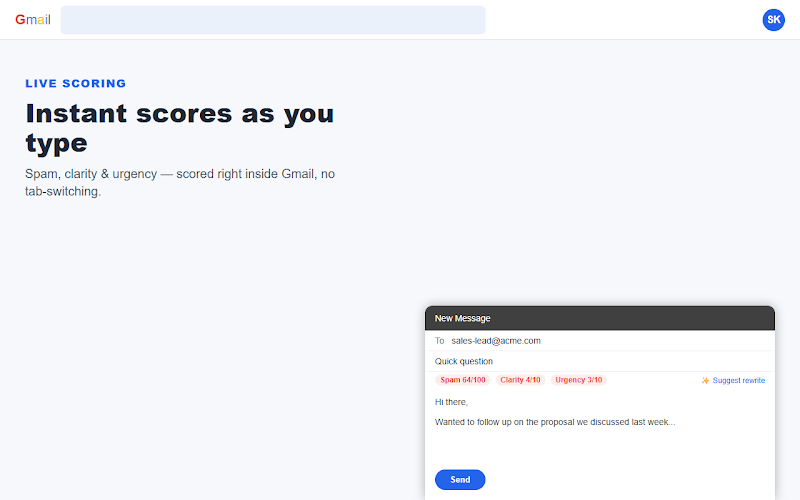
EmailSubjectScore Pro is a Chrome extension that sits inside Gmail’s compose window. As you type a subject line, it scores it on three things:
- Spam risk — are you triggering filters without realizing it?
- Clarity — does the recipient know what this email is about?
- Urgency — is there a reason to open it now vs. never?
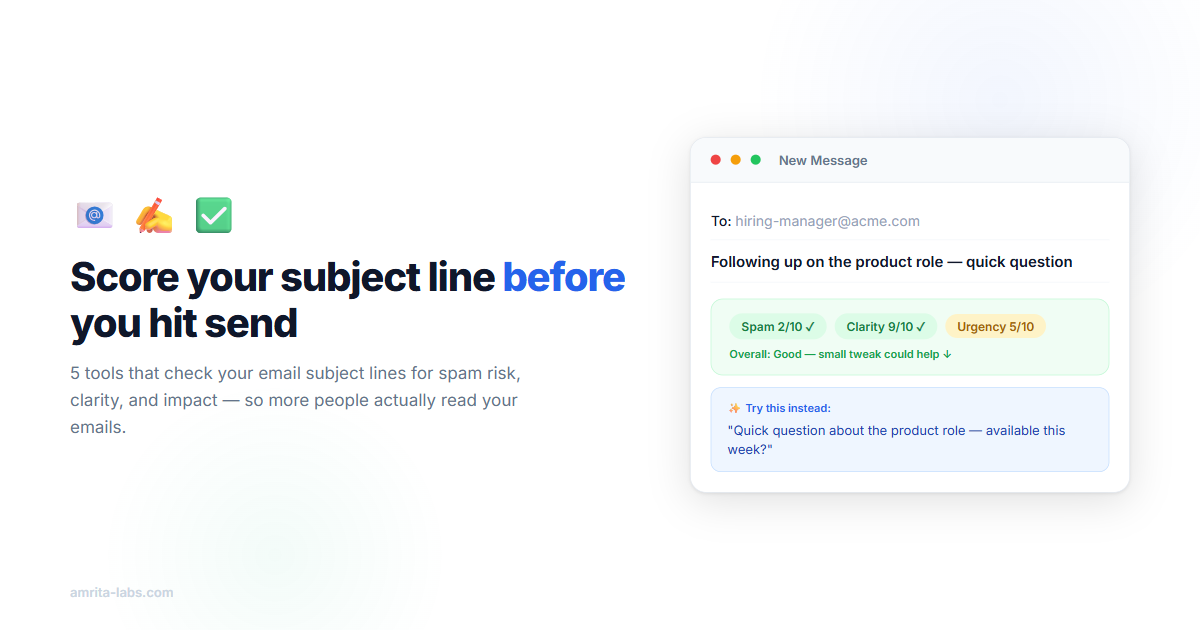
If your subject scores poorly, you hit “Suggest rewrite” and the AI proposes alternatives. You pick one, it drops into the subject field. Done.
No external tabs. No copy-pasting. It just… sits there in Gmail and tells you when your subject line sucks.
The three things I learned about subject lines
Building the scoring engine forced me to study what actually works. Most subject line advice online is recycled fluff. But three patterns kept showing up in the data:
Spam triggers are sneakier than you think. Everyone knows to avoid “FREE” and “ACT NOW.” But “just checking in” and “quick question” are also flagged now — they’ve been so overused by sales automation that Gmail treats them as spam signals. The extension catches these in real time, which is something I didn’t expect to be so useful for myself.
Specific beats clever, every time. “Thought you’d find this interesting” tells the recipient nothing. “Your onboarding flow has a 60% drop-off at step 3” tells them exactly why they should care. The best subject lines make a promise so specific that the person can decide in 2 seconds whether it’s worth opening. No mystery, no games.
Front-load or die. On a phone lock screen, you see maybe 30-35 characters of a subject line. If your important words come after “Hey [Name], I just wanted to reach out because…” — nobody will ever see them. The extension penalizes subjects where the keywords are buried past character 40. Sounds obvious, but I was doing it constantly before I had a score staring me in the face.
Before and after
Some real examples from my own emails:
| Before | After |
|---|---|
| “Quick question” | “Can you review these 3 vendor proposals by Friday?” |
| “Following up” | “The pricing expires June 30 — here’s the breakdown” |
| “Hey!” | “Your AWS bill is 3x higher than similar companies” |
The befores aren’t terrible emails written by terrible people. They’re what happens when you’re in a rush and don’t think about it. The afters are what happens when something nudges you for 5 seconds.
Where it’s at
100 + installs within a month so far, organic CWS traffic. It’s early but also tells me that it is a common problem.
The free tier gives you 50 AI scores per month and 10 per day. Enough to cover a normal person’s important emails without hitting a wall.
If you try it and something feels off — a score that doesn’t make sense, a rewrite that sounds weird, a bug where it doesn’t show up in compose — genuinely tell us. We’re building this for people who send emails that matter, and the best feedback comes from people actually using it.
→ Install EmailSubjectScore Pro (free)
Written by the team at Amrita Labs. We build browser tools for people who send important emails.