How to Tell If Your Pinterest Pin Will Perform (Before You Post)
Some Pinterest pins feel dead on arrival.
You post them, maybe give them a day, and it is obvious they are not going anywhere. Then another pin — sometimes one you spent less time on — keeps getting impressions, saves, and clicks for weeks. That used to feel random to me. The more pins I watched, the less random it looked.
A lot of the difference shows up before the pin is even published. Pinterest gets an immediate set of signals from the image, the board, the title, the description, and then the first wave of engagement. If those signals are weak, the pin rarely gets much room to recover.
Pinello is a free Chrome extension that scores Pinterest pins across 5 dimensions — image, board fit, title, description, and keywords — in real time, directly on pinterest.com.
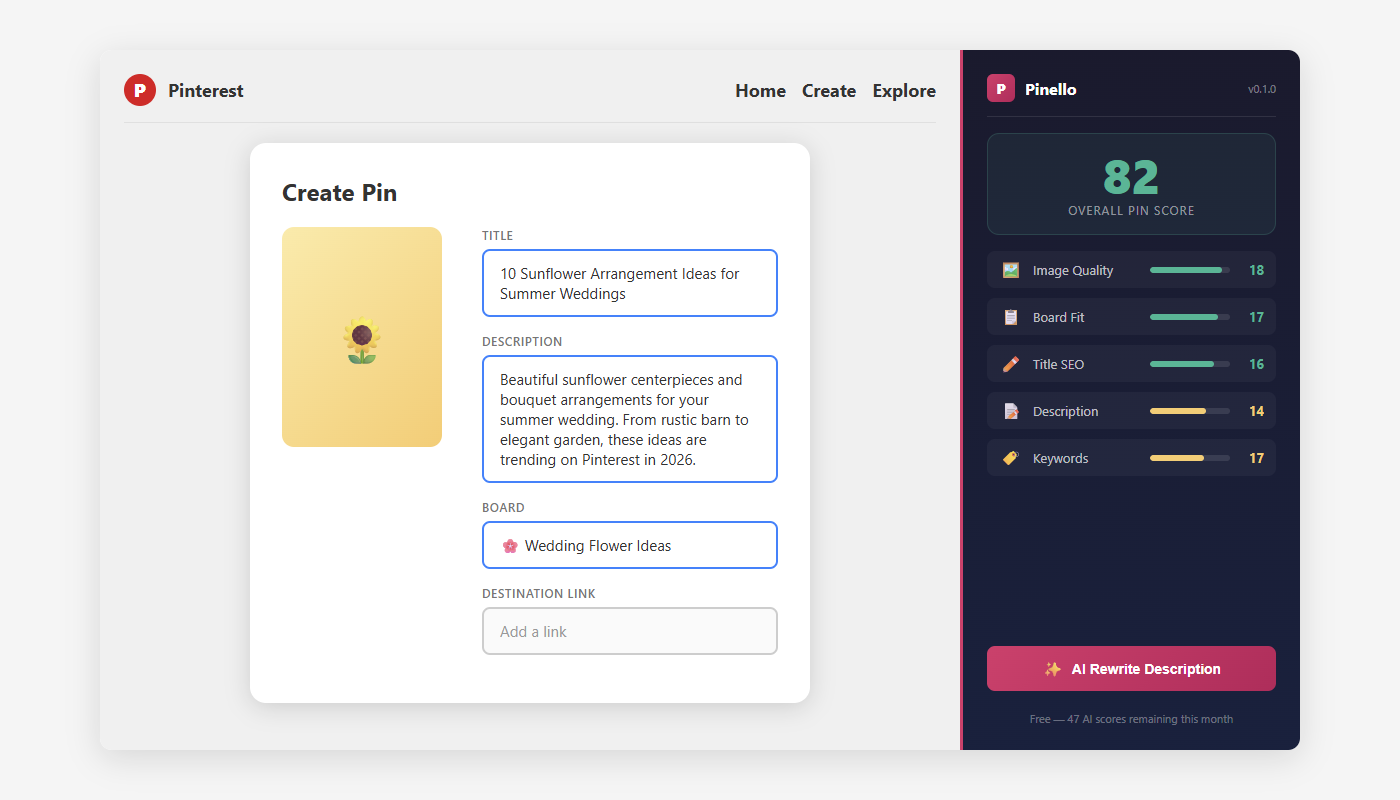
This is the pre-publish check I use when I want a pin to have a better shot.
The first 24 hours matter more than people think
Pinterest is not purely chronological, but early signals still matter.
If a pin gets a decent first impression — people stop, save, or click — Pinterest has a reason to keep showing it. If the pin looks confusing, mismatched, or under-optimized, it often stalls before it gets that chance.
That is why I care so much about the stuff that is fixable before I post.
The 5 signals I look at before posting a pin
1. Will the image stop the scroll?
Before I think about keywords, I do the thumbnail test.
Pinterest is visual, and the image gets judged fast. I usually stick to 2:3 vertical format (1000×1500px) because it fills the feed cleanly without weird cropping. Then I ask a few blunt questions:
- Is the pin readable on a phone?
- Is there one clear focal point?
- Does the text overlay help, or is it fighting the image?
- Does the topic make sense in a second or less?
If the thumbnail looks muddy or crowded, the rest of the pin has to work too hard.
2. Does the board make the topic obvious?
The board is not just a folder. It is context.
A pin about weeknight recipes belongs on a board that sounds like weeknight recipes, not a vague catch-all board with a cute name. The stronger the board context, the easier it is for Pinterest to understand what audience the pin belongs with.
I want the board to do three things:
- use a searchable topic phrase
- already contain enough related pins to feel coherent
- make the new pin feel obviously on-theme
When I save a great pin to a lazy board, I usually regret it later.
3. Does the title carry the keyword early enough?
A good Pinterest title does not need to be fancy. It needs to be legible, specific, and front-loaded.
Only part of the title gets real attention in the feed, especially on mobile, so I try to get the key phrase near the front. Titles like these do a clearer job:
- “Minimalist Bedroom Ideas for Small Spaces”
- “25 Modern Bathroom Ideas Under $500”
- “2026 Wedding Color Trends”
What I avoid are titles that waste the opening on filler: “Check this out,” “I love this,” “Great tips,” and so on. They may sound friendly, but they do not help Pinterest or the reader understand the pin.
4. Does the description give Pinterest enough context?
This is where a lot of pins quietly underperform.
If the description is blank, Pinterest has less text to work with. If the description is robotic, it feels stuffed. I want something in the middle: enough context to reinforce the topic, but still readable.
Usually that means 100-300 characters and 2-3 natural sentences.
I also do not waste space on hashtag stuffing here. On Pinterest, that space is better spent on plain-language keywords that actually describe the pin.
For example:
“Easy 30-minute chicken stir fry recipe with vegetables. A simple weeknight dinner idea for busy families who still want something healthy. Save this for your next meal prep day.”
That does not try too hard. It just tells Pinterest, and the reader, what the pin is for.
5. Am I giving the pin a decent first-day chance?
This is the signal people skip because it feels less tangible.
The first 24 hours still matter. Saves are strong. Clicks help. Even just stopping the scroll matters more than a pin getting tossed into the void at a random time.
So before I post, I try to think about distribution too:
- Am I posting when my audience is actually around?
- Is this going to the most relevant board first?
- Do I have a reason to expect early saves or clicks?
I do not obsess over timing hacks, but I do not pretend timing is irrelevant either.
My pre-publish Pinterest pin checklist
Before every pin, I run through this:
| Dimension | ✅ Ready to post | ❌ Fix first |
|---|---|---|
| Image | 2:3 ratio, bright, readable at thumbnail | Square/landscape, dark, tiny text |
| Board | Keyword title, 10+ pins, topically matched | Creative name, empty, random mix |
| Title | Keyword in first 40 chars, specific | Vague, starts with filler words |
| Description | 100-300 chars, 2-3 keywords, CTA | Empty, one sentence, hashtag spam |
| Timing | Peak hours for your audience | Random time, no thought to scheduling |
If even one row feels weak, I usually fix it. That is much easier than trying to diagnose a flop afterward.
What I automate now
You can absolutely do this checklist manually. I still do, sometimes.
But if you are publishing a lot of pins, the easy mistakes pile up. Wrong board. Weak title. Empty description. Image resized badly in a rush. That is why we built Pinello to score those dimensions directly on pinterest.com while the pin is still in front of you.
The main benefit is not that it predicts the future perfectly. It is that it catches the obvious misses before they become performance problems.
The few changes that fix most weak pins
If I had to simplify all of this down to the handful of fixes that matter most, it would be these:
- Use vertical 2:3 images. This is still the easiest win.
- Put the keyword early in the title. Do not bury the topic.
- Write a real description. Empty descriptions are usually wasted upside.
- Choose the board on purpose. Context matters more than a lot of creators assume.
That will not guarantee a viral pin. It will give the pin a fairer chance, which is usually the more useful goal.
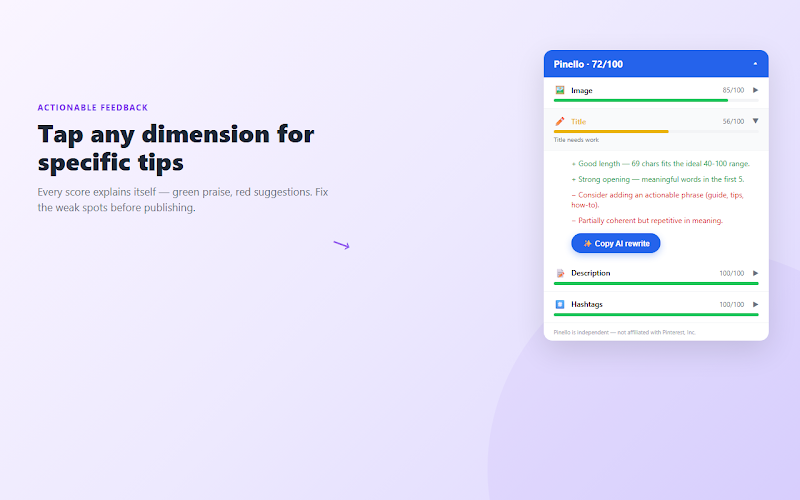
Score your next pin before posting
Before you hit publish, give the pin one last check. Install Pinello from the Chrome Web Store — it’s free, works directly on pinterest.com, and scores your pins across all 5 dimensions before you post. No signup needed.
Written by the team at Amrita Labs. We build browser tools that help creators optimize before publishing.