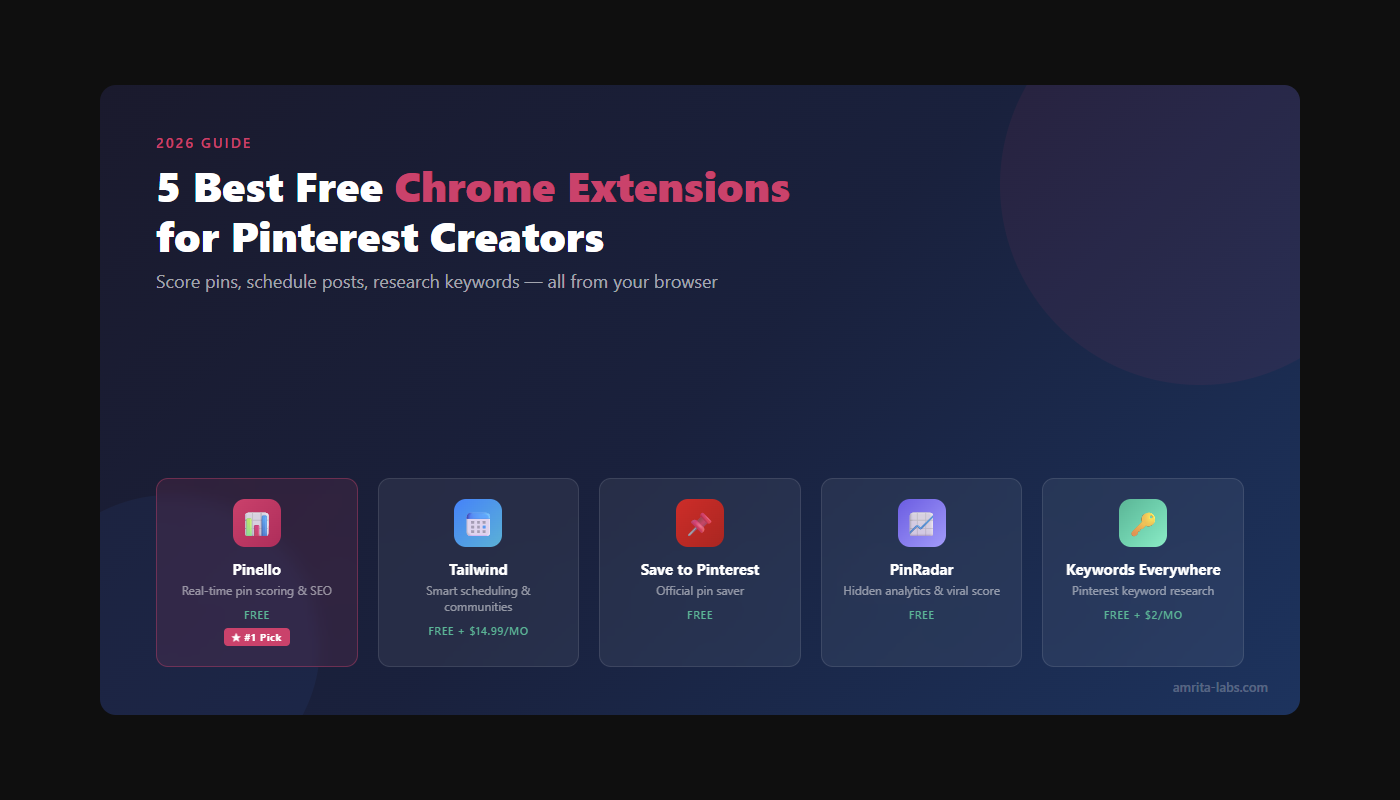
5 Best Free Chrome Extensions for Pinterest Creators (2026)
Pinterest rewards consistency, quality, and optimization. But manually checking image ratios, crafting keyword-rich descriptions, and analyzing which pins actually perform — across dozens of boards — eats hours every week.
These 5 Chrome extensions handle the tedious parts so you can focus on creating content that drives traffic.
Pinello is a free Chrome extension that scores Pinterest pins across 5 dimensions — image, board fit, title, description, and hashtags — in real time.
title: “5 Best Free Chrome Extensions for Pinterest Creators (2026)” description: “Boost your Pinterest SEO and pin performance with these 5 free Chrome extensions. From real-time pin scoring to keyword research and analytics.” date: “2026-07-17” tags: [“pinterest”, “chrome extensions”, “pinterest seo”, “creators”] image: “/assets/blog/pinterest-chrome-extensions-hero.png” relatedProducts: [‘pinello’]
2. Tailwind — Pin Scheduling & SmartSchedule
What it does: Schedule pins from any webpage with a click. Tailwind’s SmartSchedule algorithm posts at optimal times based on when your audience is most active.
Why creators love it:
- Bulk image selection — schedule an entire blog post’s images as pins in seconds
- SmartSchedule picks the best posting times automatically
- Tailwind Communities let you share content in niche groups for organic reach
- AI Pin Designer generates pin templates from your content
- Analytics dashboard shows which pins drive the most traffic
Best for: Creators who batch-create content and want hands-off scheduling. Tailwind handles the when and where — you handle the what.
Price: Free plan includes 5 posts/month. Pro plan starts at $14.99/month (or $9.99/month billed annually) for 100+ posts.
🔗 Install Tailwind on Chrome Web Store

title: “5 Best Free Chrome Extensions for Pinterest Creators (2026)” description: “Boost your Pinterest SEO and pin performance with these 5 free Chrome extensions. From real-time pin scoring to keyword research and analytics.” date: “2026-07-17” tags: [“pinterest”, “chrome extensions”, “pinterest seo”, “creators”] image: “/assets/blog/pinterest-chrome-extensions-hero.png” relatedProducts: [‘pinello’]
4. PinRadar — Hidden Pin Analytics & Viral Score
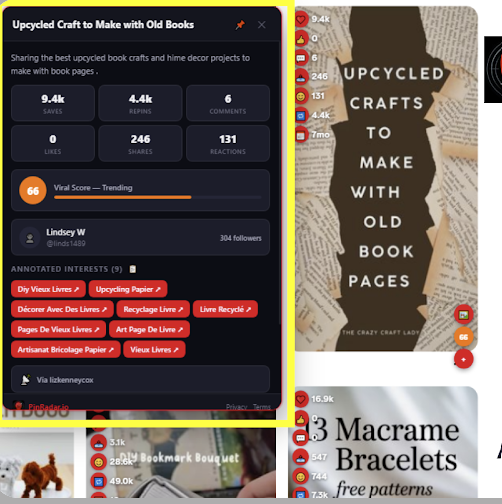
What it does: Reveals engagement stats that Pinterest hides by default — saves, repins, reactions, and a calculated “viral score” badge on every pin in your feed.
Why creators love it:
- See saves, repins, and viral scores directly on pins as you scroll
- Sort any board’s pins by performance (saves, date, viral score)
- Hover popups with deep analytics on any pin
- CSV export for external analysis and content planning
- Batch download pin images/videos in HD
- Runs 100% locally — no data sent to external servers
- Free license key at pinradar.io unlocks all features
Best for: Creators who want to reverse-engineer what’s working. Find viral content in your niche, understand what competitors’ top-performing pins have in common, then replicate that formula.
Price: Free (sign up at pinradar.io for a free license key that unlocks all features).
🔗 Install PinRadar on Chrome Web Store
title: “5 Best Free Chrome Extensions for Pinterest Creators (2026)” description: “Boost your Pinterest SEO and pin performance with these 5 free Chrome extensions. From real-time pin scoring to keyword research and analytics.” date: “2026-07-17” tags: [“pinterest”, “chrome extensions”, “pinterest seo”, “creators”] image: “/assets/blog/pinterest-chrome-extensions-hero.png” relatedProducts: [‘pinello’]
Quick Comparison Table
| Extension | Pin scoring | Scheduling | SEO keywords | Works on pinterest.com | Price |
|---|---|---|---|---|---|
| Pinello | ✅ 5 dimensions | ❌ | ✅ Built-in | ✅ | Free (50 AI/month) |
| Tailwind | ❌ | ✅ SmartSchedule | ❌ | Partial (saves from anywhere) | Free plan + $14.99/mo |
| Save to Pinterest | ❌ | ❌ | ❌ | ❌ (saves TO Pinterest) | Free |
| PinRadar | ❌ (analytics, not scoring) | ❌ | ❌ | ✅ | Free |
| Keywords Everywhere | ❌ | ❌ | ✅ | ✅ | Free + $2/mo for volume |
title: “5 Best Free Chrome Extensions for Pinterest Creators (2026)” description: “Boost your Pinterest SEO and pin performance with these 5 free Chrome extensions. From real-time pin scoring to keyword research and analytics.” date: “2026-07-17” tags: [“pinterest”, “chrome extensions”, “pinterest seo”, “creators”] image: “/assets/blog/pinterest-chrome-extensions-hero.png” relatedProducts: [‘pinello’]
Frequently Asked Questions
Do these extensions slow down Pinterest?
No. All 5 are lightweight. Pinello and PinRadar run analytics locally in your browser — no external requests while you browse. Save to Pinterest is built by Pinterest themselves and weighs almost nothing.
Can I use multiple Pinterest extensions at once?
Yes. They don’t conflict. A common setup is Pinello + PinRadar + Keywords Everywhere running simultaneously — each serves a different purpose.
Do any of these read my Pinterest password?
None of these extensions require your Pinterest login credentials. They work by reading the publicly visible page content (pin text, images, stats).
What about Pin Inspector ($67)?
Pin Inspector is a solid keyword research tool, but it’s a one-time $67 purchase and primarily a desktop app. If you only need keyword suggestions while browsing Pinterest, Keywords Everywhere (free) covers most of the same ground. Pin Inspector is worth it if you do deep competitive research or need batch keyword exports.
Start With Scoring
The highest-ROI optimization for Pinterest is pre-publish scoring. A single pin that scores green across all 5 dimensions — good image, relevant board, keyword-rich title, optimized description, proper hashtags — outperforms 10 pins posted without any optimization.
Most creators spend hours on design but seconds on the title and description. That’s backwards. Pinterest’s search algorithm weights text just as heavily as the image.
Score your next pin before you publish → Install Pinello (Free)